mirror of
https://gitlab.gnome.org/june/top-bar-organizer.git
synced 2026-11-10 12:00:51 +01:00
A Gnome Shell Extension for organizing your Gnome Shell top bar.
https://extensions.gnome.org/extension/4356/top-bar-organizer/
- TypeScript 98.7%
- Shell 0.9%
- CSS 0.4%
| Filename | Latest commit message | Latest commit date |
|---|---|---|
 6802c2f0f3 If `enable()` throws after `Panel._addToPanelBox` is overwritten, the extension ends up in the error state and GNOME Shell never calls `disable()`. Extensions are disabled and enabled on every screen lock, so the next `enable()` saved the overwrite itself as `_originalAddToPanelBox`. From then on the method called itself until the stack overflowed, and the top bar came up empty after unlocking. Only save the original method when it isn't saved yet, and make `disable()` safe to call when `enable()` didn't finish. |
||
| .gitlab/issue_templates | ||
| .vscode | ||
| data | ||
| docs | ||
| res | ||
| src | ||
| .editorconfig | ||
| .eslintignore | ||
| .eslintrc.yml | ||
| .gitignore | ||
| ambient.d.ts | ||
| CONTRIBUTING.md | ||
| COPYING | ||
| git_annotated_tag_template | ||
| package-lock.json | ||
| package.json | ||
| package.sh | ||
| README.md | ||
| tsconfig.json | ||
Top Bar Organizer
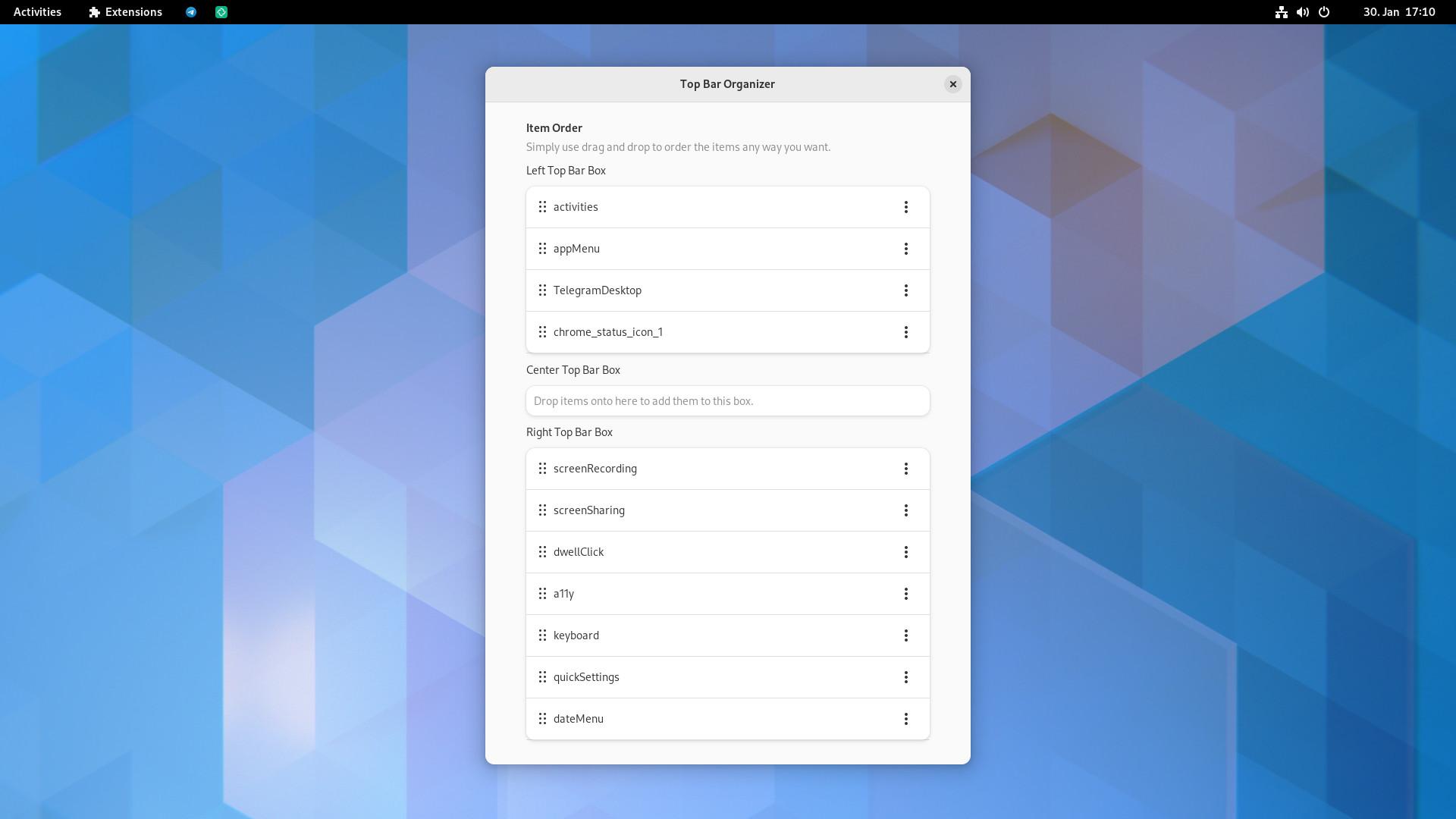
Top Bar Organizer allows you to organize the items of the GNOME Shell top (menu)bar.
Installation
The extension is available on the GNOME Extensions website.
Or you can also manually install a release from the releases page.
There's also a community-maintained AUR package available.