mirror of
https://gitlab.gnome.org/june/top-bar-organizer.git
synced 2026-11-10 12:00:51 +01:00
A Gnome Shell Extension for organizing your Gnome Shell top bar.
https://extensions.gnome.org/extension/4356/top-bar-organizer/
- TypeScript 98.7%
- Shell 0.9%
- CSS 0.4%
| Filename | Latest commit message | Latest commit date |
|---|---|---|
 c7d9880f19 The workspace dots are animated in with a 500ms scale transition when the number of workspaces changes, e.g. when the second workspace is created at login. `#orderTopBarItems()` used to call `remove_child()` on every top bar item, including the "activities" container that owns those dots. Clutter's default remove-child flags include `REMOVE_CHILD_STOP_TRANSITIONS`, which stops all running transitions on the removed actor and its children. That froze the new dot at scale 0 or at a partial scale. Since `Panel._addToPanelBox` is overridden and triggers reordering whenever an indicator is added, this raced with the startup dot animation. Only detach an item when it actually changes boxes. Reorder items that are already in the target box with `set_child_at_index()`, which changes the child order without changing actor state or stopping transitions. Closes #17 |
||
| .gitlab/issue_templates | ||
| .vscode | ||
| data | ||
| docs | ||
| res | ||
| src | ||
| .editorconfig | ||
| .eslintignore | ||
| .eslintrc.yml | ||
| .gitignore | ||
| ambient.d.ts | ||
| CONTRIBUTING.md | ||
| COPYING | ||
| git_annotated_tag_template | ||
| package-lock.json | ||
| package.json | ||
| package.sh | ||
| README.md | ||
| tsconfig.json | ||
Top Bar Organizer
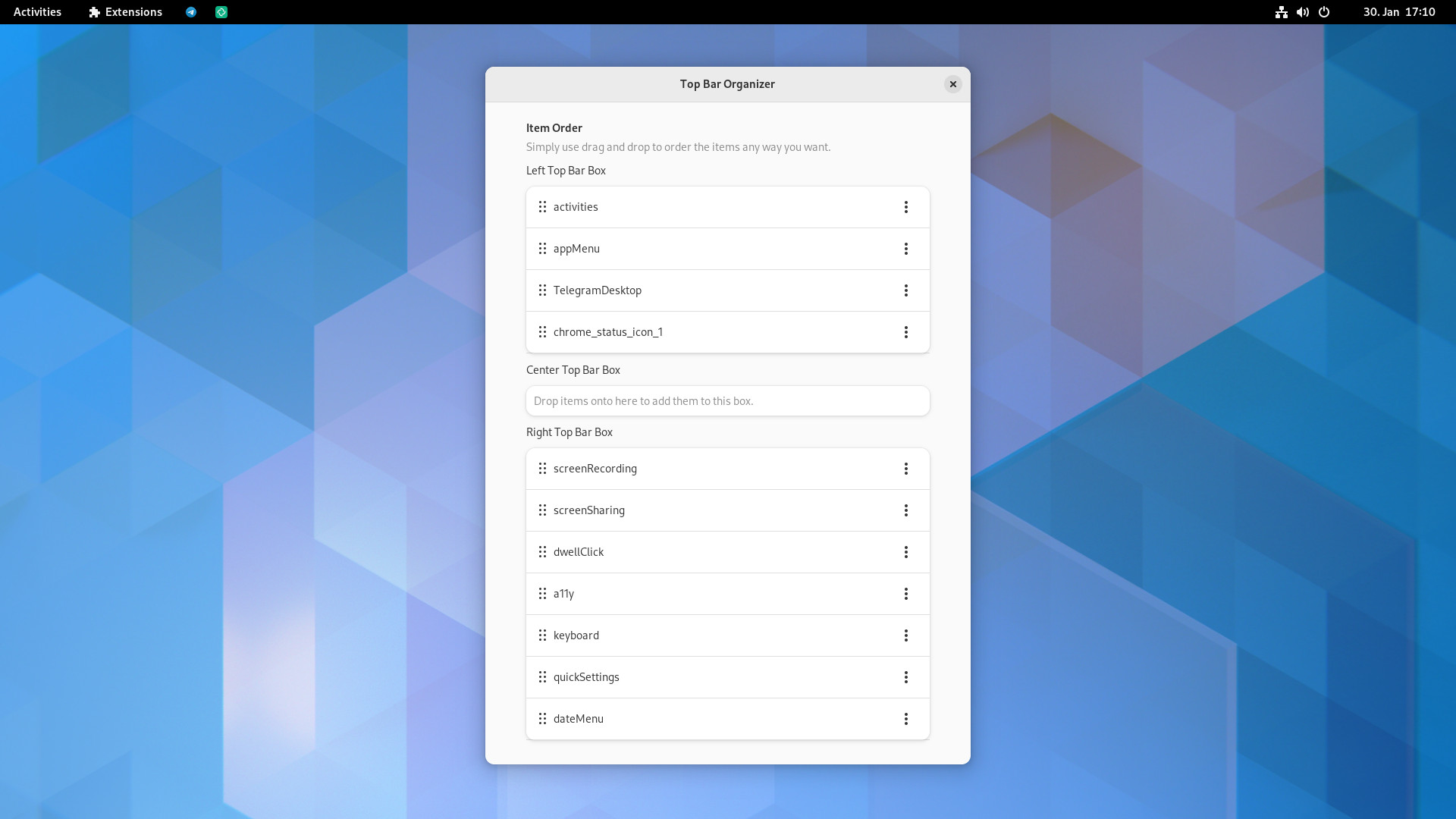
Top Bar Organizer allows you to organize the items of the GNOME Shell top (menu)bar.
Installation
The extension is available on the GNOME Extensions website.
Or you can also manually install a release from the releases page.
There's also a community-maintained AUR package available.